NightLuck App Installation Errors and Fixes
Installing a new casino app should be a seamless gateway to entertainment, but technical glitches can turn excitement into frustration. This practical guide walks you through the most common NightLuck app installation errors on both Android and iOS devices, providing clear, actionable solutions to get you playing without the hassle.
Common NightLuck App Installation Error Codes
When the installation fails, your device often provides an error code. Understanding what these codes mean is the first step to a fix. Here are the most frequent ones and their typical causes:
| Error Code | Platform | Probable Cause | Quick Fix |
|---|---|---|---|
| Error 491 | Android | Corrupted Google Play Store cache/data. | Clear Play Store cache & data in device settings. |
| Error 927 | Android | A previous installation attempt is still pending. | Wait 24-48 hours or restart your device. |
| “Cannot Connect to App Store” | iOS | Apple ID verification or connectivity issue. | Sign out and back into your Apple ID; check internet connection. |
| Error 0x80070005 | Windows | Insufficient user permissions. | Run the installer as an administrator. |
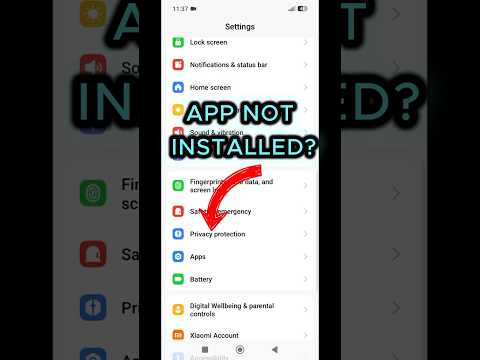
Step-by-Step Troubleshooting for Android Devices
Android users sometimes face hurdles due to security settings, as the NightLuck app isn’t always on the Google Play Store. Follow this ordered list to resolve most issues.
- Enable Installation from Unknown Sources: Go to Settings > Security. Toggle on “Unknown sources” to allow installations from outside the Play Store. Remember to disable this afterward for security.
- Check Available Storage: Ensure you have at least 100MB of free space. The NightLuck app is roughly 75MB, but you need extra room for the installation process and future updates.
- Download the APK File Again: A corrupted download is a common culprit. Delete the partially downloaded file and get a fresh copy directly from the official NightLuck casino website.
- Disconflict with Existing Apps: If you have a previous version installed, uninstall it completely before trying the new installation. Restart your phone after uninstallation.
Resolving iOS and iPhone Installation Issues
iOS installations are generally streamlined but can be blocked by system settings or account issues. If you can’t find or install the app, check these points.
First, verify your device is compatible. The NightLuck app requires iOS 13.0 or later. Second, check your region settings. If your Apple ID is registered in a country where the app is not available, you will not see it. The most common fix is ensuring a stable internet connection and sufficient storage, similar to Android. If the problem persists, try updating your iOS to the latest version, as this often resolves underlying compatibility bugs that hinder installation.
What to Do When Standard Fixes Fail
If you’ve tried all the standard steps and still can’t install the app, the problem might be deeper. For persistent issues, your best course of action is to contact NightLuck’s customer support directly. They have access to backend error logs and can provide specific solutions. Before contacting them, note your device model, operating system version, and any exact error messages. This information will help them assist you faster. Alternatively, you can always access the full casino experience, including any available NightLuck bonus offers, directly through the mobile-optimized website in your browser without needing to install anything.
Claiming Bonuses After a Successful Installation
Once you finally get the NightLuck app installed, you’ll want to jump into the action. A great way to start is with a welcome offer. Keep an eye out for a NightLuck no deposit promotion, which typically awards a small amount of bonus credit just for signing up, or a NightLuck free spins package for a specific slot game. To claim these, you may need to enter a NightLuck promo code in the cashier section before making your first deposit. Always remember to read the terms and conditions, particularly the wagering requirements, which are often 35x the bonus amount, and game weightings before you play. For more information on the latest offers, you can visit NightLuck directly.
Deixe um comentário